Claims comparison
Compare creditor lists, claim filings and supporting documents to find amount differences, additions and removals.
OKI Legal · technology for court-appointed administrators
OKI Legal helps teams review claims in Brazilian judicial reorganization. It compares creditor lists, claim filings and supporting documents, highlights amount changes and preserves source references found in the submitted records for review.
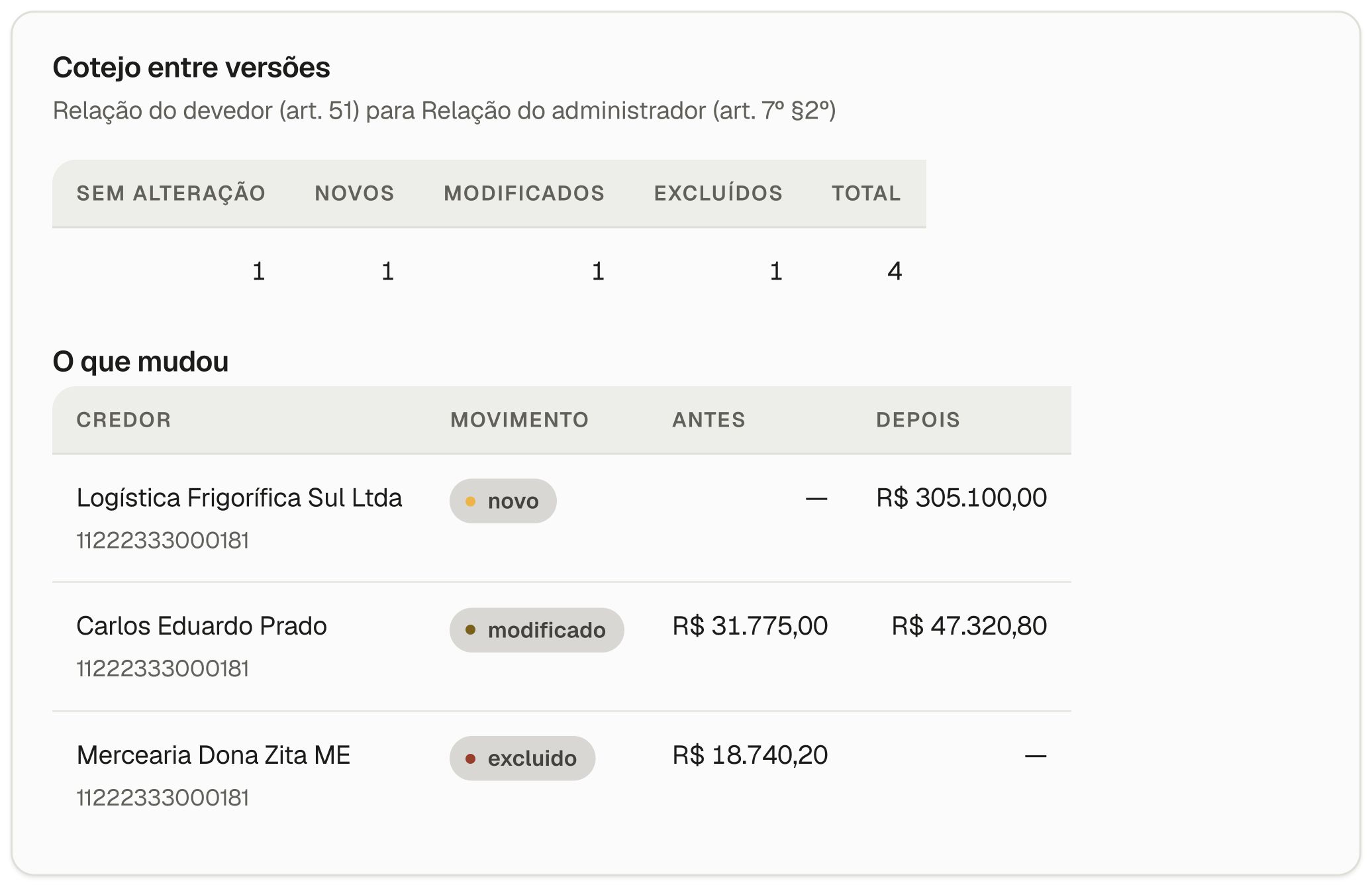
Carlos Eduardo Prado
What your team receives
See an amount before and after, understand the change and check the available reference in the imported list.
Cross-check creditor lists, claim filings and documents to show what changed in each record.
Show amount differences and changes in the list between versions.
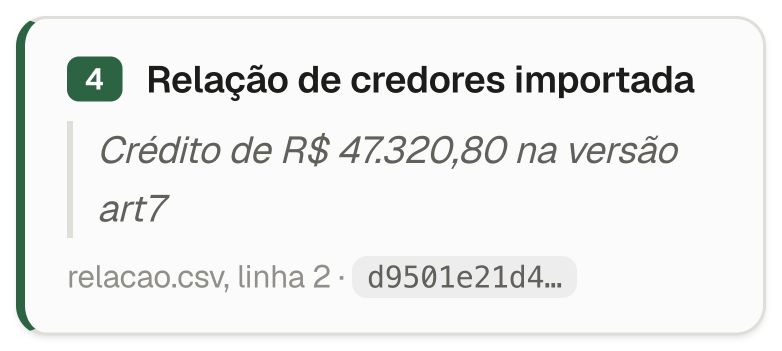
Link each result to the available source document, record or line for checking.
What OKI Legal does
Compare creditor lists, claim filings and supporting documents to find amount differences, additions and removals.
Check for corporate links between creditors and the debtor group in business registration records, with the source and date of the records shown alongside the findings.
Find hidden content and instructions in PDF and DOCX files that may change how automated tools read the documents.
How the solution fits the work
After a channel is agreed, provide the creditor lists, claim filings and case documents.
OKI cross-checks the versions and organizes changes by creditor and amount.
Each result includes the source reference available in the submitted materials.
Your team checks the differences and decides the next step for the case.
In your team’s workflow
The original list, claim filings and new versions may sit in different files. OKI organizes them creditor by creditor, shows what changed and keeps the source available for review.
Technology organizes the comparison. Your team reviews and decides.
Before you talk
A solution for court-appointed administrators to compare creditor lists, claim filings and documents in Brazilian judicial reorganization.
Discuss your case and share the document types and approximate volume. The proposal sets the materials and working method.
A comparison showing amount differences, additions and removals, with available source references for review.
Creditor lists, claim filings, spreadsheets, PDFs and supporting documents can be part of the review.
The proposal considers the case materials, volume and type of review.
The solution presented here is for Brazilian judicial reorganization proceedings.
Next step
Tell us whether you need to compare claims, check possible links or examine documents, and share the file types, approximate volume and desired timing.
Please do not send real documents, creditor names, personal data or confidential information in this first inquiry.